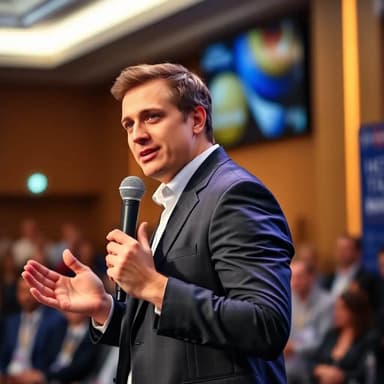
ID Headshot Generator for Clean, Professional Photos
Create a clean, front-facing ID-style headshot from 1–5 selfies in about 30 seconds. Ideal for staff directories, memberships, school portals, and profile systems.
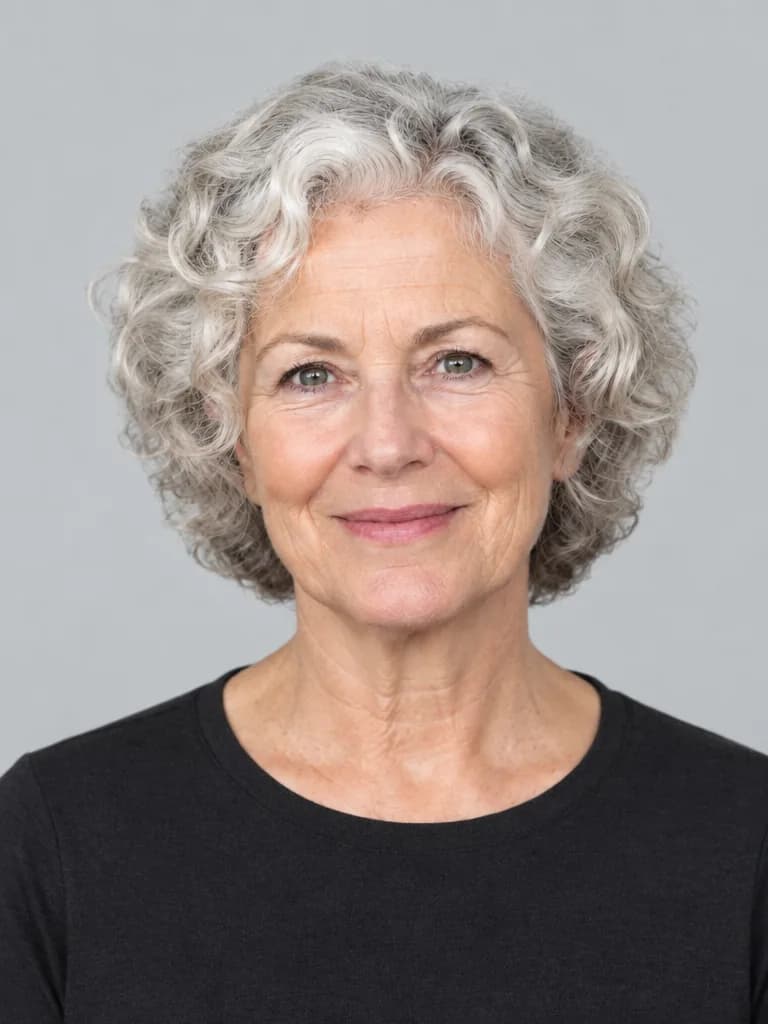
ID Photo AI Headshots
Create a neutral ID-style profile portrait for non-governmental directories and badges. Show the subject centered and facing the camera, head and upper shoulders fully visible, both eyes clear, mouth relaxed, even shadow-free lighting, plain light-gray background, and simple clothing with clear contrast. Do not beautify, reshape, or add accessories.
Key Features
- Tailored for Professional use
- AI-generated for unique, high-quality results
- Optimized for digital platforms and print media
- Rapid creation process - ready in seconds
Benefits of ID Photo AI Headshots
The ID Photo style expertly combines visual appeal with unique personality. Designed for Professional use, these AI-generated headshots help you make a lasting impression. Stand out from the crowd with a portrait that truly represents you.
What is an ID headshot, and when should you use one?
An ID headshot is a simple, front-facing portrait designed to make you easy to recognize. Use this style for staff directories, membership profiles, school portals, internal systems, or badges that accept user-supplied images. A neutral expression, even light, and a plain background keep the photo clear at small sizes.
This generator creates an ID-style portrait, not a guaranteed government-compliant passport or visa photo. Always follow the issuing authority's official capture, editing, crop, and file rules. For example, the U.S. Department of State passport rules explicitly prohibit AI-generated or digitally altered photos.
Practical uses for an ID-style headshot
Use one clean portrait across systems that value recognition and consistency more than a styled background.
Employee and team directories
Use a consistent, neutral crop across staff profiles, internal tools, email accounts, and remote-team directories.
Membership and school portals
Create a recognizable profile image for clubs, associations, alumni systems, learning platforms, and campus directories.
Badges and informal ID cards
Prepare a clean head-and-shoulders photo when the organization accepts user-supplied or generated images. Always check its rules first.
Five checks before you upload the photo
Generated portraits can contain subtle errors. Review the full-size file and its small profile crop before publishing it.
Need a less formal career photo? Compare our LinkedIn headshot generator and resume headshot guide.
- 1.Face the camera directly with both eyes clearly visible.
- 2.Use even light without deep shadows or blown highlights.
- 3.Keep a plain background with clean hair and shoulder edges.
- 4.Confirm your face, glasses, hair, and clothing are accurate.
- 5.Check the receiving organization's crop, size, and AI-image policy.
ID headshot questions
What is an ID headshot?
An ID headshot is a clear, front-facing portrait with even lighting, a simple background, and minimal styling. It is useful for staff directories, membership profiles, school portals, badges, and other systems that need a recognizable photo.
Can I use an AI-generated photo for a passport or visa?
Do not assume so. Passport, visa, residency, and government ID rules vary by issuing authority, and many prohibit generated images or material edits. Check the official requirements and use a compliant camera photo whenever the authority requires one.
What background works best for an ID-style headshot?
White, light gray, or another plain high-contrast background is the safest choice for general profile use. Keep edges around the hair and shoulders clean, and confirm the exact color and crop rules if an organization has its own specification.
What should I wear in an ID headshot?
Choose a plain top that contrasts with the background, remove anything that hides your face, and avoid dense patterns or reflective accessories. For workplace systems, follow your employer's dress and badge-photo policy.
How do I create an ID-style headshot from a selfie?
Upload 1–5 recent selfies with your face fully visible, select the ID Photo style, and generate a result in about 30 seconds. Check the likeness, hair, glasses, clothing, and background edges before downloading it.
Create AI Headshots in 3 Simple Steps
The fastest AI headshot generator – create stunning, personalized professional headshots for LinkedIn, resumes, and every occasion.
Upload Your Selfies
Upload 1-5 clear selfies or photos showcasing your face in various settings.
Personalize Your Style
Select from diverse styles or create custom prompts for truly unique AI headshots.
Instant AI Magic
Our advanced AI headshot generator creates pro-quality headshots in seconds, ready for any use.